Leaderboard



Popular Content
Showing content with the highest reputation since 06/19/25 in all areas
-
v1.29.1.0 #00 (09-07-2025): - Initial compatibility with WoT 1.29.1.0 - Updated XVM 12.7.0_0048 - Updated the anti-mirror for non-XVM contour icons - Updated Change client language - Updated FastestClassic+Gnomefather's Historical Realism Gun & Engine Sounds - Updated contour icons: maintained by me in TIM - Updated Skins on destroyed vehicles - Updated No fog / Night Sky / Blue Sky / No Clouds - Updated Custom Damage Indicators - Updated Clean Camo - Updated Crew sounds: Von Krieger from the 2021 event (rebuilt and updated) - Updated Alternative Vehicle Markers - Updated Armor Inspector wotinspector - Updated Replays Manager - Updated Battle Hits Viewer - Updated The Skill4ltu Mod - Updated Show battle results on Tomato.gg - Updated PMOD v1.79.0 - Updated Received Damage Announcer - Updated Damage Log script (by Phantasm) - Updated WOTInspector Heatmaps - Updated WoT Tweaker Plus - Removed aim circles from many crosshairs until they are updated; the rest have already been updated - Removed until updated: Night hangar, Garage: Minimalistic, The Last hits (broken and will most likely not return)3 points
-
v1.29.1.0 #04 (10-07-2025): - Re-added Extended Interface Scaling - Updated all mods by Kurzdor - Updated Crew icons: Anime v22 points
-
v1.29.1.0 #02 (09-07-2025): - Re-added Random Tank Selector - Updated Damage Log script (by Phantasm) (potential fix to the muted sounds issue) - Updated Show battle results on Tomato.gg - Updated Received Damage Announcer (small fix)2 points
-
v1.29.1.0 #01 (09-07-2025): - Updated XVM 12.7.0_0049 - Updated Achievement Notification - Removed until updated: Random Tank Selector (endless loading to garage), Extended Interface Scaling (crashing instantly)2 points
-
Downloads for World of Warships Aslain's WoWs ModPack v14.6.0 #06 main download link (.torrent) SHA-256: 80fbe95e2c7ff8494ec0261de1ccbb5982d36ec816685ca25a1ff927a31732b9 Attention! Due to the lack of a paid digital signature (but not only), some antiviruses may recognize the installer as a threat. If problems arise, I recommend disabling it during download and installation or adding the file to exceptions. Installation: - select folder where is your WoWS installed - pick your mods and options, click next to finish - when you want to select different mods, launch the installer again Updating: - just download new modpack exe file, and re-install (never uninstall the modpack if you want to update it) Uninstalling: - use uninstalling feature from windows system - if you still cannot start your game, perform this action http://tinyurl.com/z23lxng You may use following tools to support me, posted them as requested by users: or PayPal: Changelog:2 points
-
Files for World of Tanks 1.29.1.0 Aslain's WoT ModPack v1.29.1.0 #07 download link #1 (wgmods.net) download link #2 (mirror) .torrent SHA-256: 28437ed52ea00575c1aa3c18f3551e3c1ed90ec94f1f16143dffa39ed2efbbd2 Attention! Due to the lack of a paid digital signature, some antiviruses may recognize the installer as a virus. If problems arise, we recommend disabling it during download and installation or adding the file to exceptions. XVM with my config only download link You may use following tools to support modpack developement and efforts: Changelog2 points
-
This might be related 2025-07-15 10:44:31.876: WARNING: Main: [Scaleform] DAPI AttachMovie() depth requested (31) for symbol "StaticArtyMarkerUI" is too large. Using next highest index (30) instead. 2025-07-15 10:44:39.185: ERROR: Main: Traceback (most recent call last): 2025-07-15 10:44:39.185: ERROR: Main: File "scripts/client/visual_script_client/vehicle_blocks.py", line 580, in _exec 2025-07-15 10:44:39.186: ERROR: Main: TypeError: Unable to convert function return value to a Python type! The signature was 2025-07-15 10:44:39.186: ERROR: Main: (arg0: GenericComponents.EntityGOSync) -> BW::ScriptObjectBasePtr<BW::PyEntity,std::shared_ptr<BW::PyEntity> > 2025-07-15 10:44:39.186: ERROR: Main: 2025-07-15 10:44:39.186: ERROR: Main: Did you forget to `#include <pybind11/stl.h>`? Or <pybind11/complex.h>, 2025-07-15 10:44:39.186: ERROR: Main: <pybind11/functional.h>, <pybind11/chrono.h>, etc. Some automatic 2025-07-15 10:44:39.186: ERROR: Main: conversions are optional and require extra headers to be included 2025-07-15 10:44:39.186: ERROR: Main: when compiling your pybind11 module. 2025-07-15 10:44:39.186: ERROR: Main: RuntimeError: Plan "3D_Customization/Cus_03_Brutal_Night_vision_device" : CompareVehicles_5 - Input vehicle is not valid! 2025-07-15 10:44:39.186: ERROR: Main: Traceback (most recent call last): 2025-07-15 10:44:39.186: ERROR: Main: File "scripts/client/visual_script_client/vehicle_blocks.py", line 580, in _exec 2025-07-15 10:44:39.187: ERROR: Main: TypeError: Unable to convert function return value to a Python type! The signature was 2025-07-15 10:44:39.187: ERROR: Main: (arg0: GenericComponents.EntityGOSync) -> BW::ScriptObjectBasePtr<BW::PyEntity,std::shared_ptr<BW::PyEntity> > 2025-07-15 10:44:39.187: ERROR: Main: 2025-07-15 10:44:39.187: ERROR: Main: Did you forget to `#include <pybind11/stl.h>`? Or <pybind11/complex.h>, 2025-07-15 10:44:39.187: ERROR: Main: <pybind11/functional.h>, <pybind11/chrono.h>, etc. Some automatic 2025-07-15 10:44:39.187: ERROR: Main: conversions are optional and require extra headers to be included 2025-07-15 10:44:39.187: ERROR: Main: when compiling your pybind11 module. 2025-07-15 10:44:39.187: ERROR: Main: RuntimeError: Plan "3D_Customization/Cus_04_Brutal_Machine_Gun" : CompareVehicles_5 - Input vehicle is not valid! It looks like a WG bug. Seem the crash is related on some 3D skin on some tank that appeared in battle. Have you tried to fix the game files just in case? I would report it to WG.1 point
-
v1.29.1.0 #06 (14-07-2025): - Updated Show battle results on Tomato.gg v1.7.08 - Updated The Skill4ltu Mod v1.5 - Updated contour icons: PogS - Updated Extended Interface Scaling (credits to Kurzdor)1 point
-
It doesnt suppose to fix it, it was triggering this bug according to one person.1 point
-
I’m not sure if it matters, but you can always attach it and include the date and time when the problem occurred. Maybe the replay file too.1 point
-
This mod is not maintained anymore, so with time it will create more problems to the point I will remove it. I can take a look, if you attach replay from this battle. Have you tried the other variants?1 point
-
v1.29.1.0 #05 (10-07-2025): - Updated contour icons: man1aq - Updated WoT Tweaker Plus (proper) - Updated Show battle results on Tomato.gg - Updated Editable tank filter sets for carousel - Updated Extended Interface Scaling (Fixed the issue with missing damage indicators)1 point
-
Aktualizacja do wersji 1.29.1.0. Przepraszam że tworzę następny post w temacie ale nie mogę edytować poprzedniego albo nie umiem 😉 contouricons_man1aq_1.29.1.0.zip1 point
-
The mod was updated for 14.6. The installation remains the same in the main post of the thread. 14 new ships have been added: T9 French Cruiser BA Utnapishtim's Ship, T10 German Battleship Schlieffen, T6 German Cruiser Admiral Reinhard, T7 German Cruiser Admiral Scheer, T8 German Cruiser Knesebeck, T9 German Cruiser Manteuffel, T10 German Cruiser Prinz Adalbert, T8 Italian Battleship BA Binah, T10 Italian Battleship Tempesta Nera, T11 Italian Battleship Affondatore, T10 Japanese Submarine BA Arona's Whale, T10 Japanese Cruiser Kushiro, T10 Russian Battleship BA Hovercraft, and T8 Russian Cruiser Kiberpankov. The new US Destroyers have been added to the right of the old Destroyer line, everything else was shifted accordingly. Note: The new T10 German Battleship Schlieffen has a different ID, than the one present in the game and I don't understand why there even is a duplicate. I have indicated which one is the duplicate within the file. (I won't be able to access the game for a while so I cannot view if they are different at all) @Aslain1 point
-
v1.29.1.0 #03 (09-07-2025): - Fixed the archives with FastestClassic+Gnomefather's Historical Realism Gun & Engine Sounds - Updated Hitzone skins: Esthete (smart) - Re-added Garage: Minimalistic1 point
-
I bet you are tired after all that work. The link on your download page down loads 1.29.0.0_00 zip. So the XVM only link still downloads the old version. My apologies for calling it Icon only, I meant to type XVM Only With My Config. Sorry about that and yes, get some rest. Im in my 60's and I understand PC Burnout.1 point
-
Reinstall the modpack with this option checked1 point
-
Zorgane missing sounds fix, reinstall the modpack with this option enabled:1 point
-
Remove : UI Scale ANNIALLATOR Random Tank Selector1 point
-
Try the voice seletor mod. That mods as a standalone mods will not return.1 point
-
Odpal gre w trybie bezpiecznym i odbierz sobie wtedy. Ponoc XVM to powoduje, nie jestem w stanie zweryfikowac.1 point
-
I reached out to iKurzdor via E-Mail and Discord. I will let you know if/when he replies1 point
-
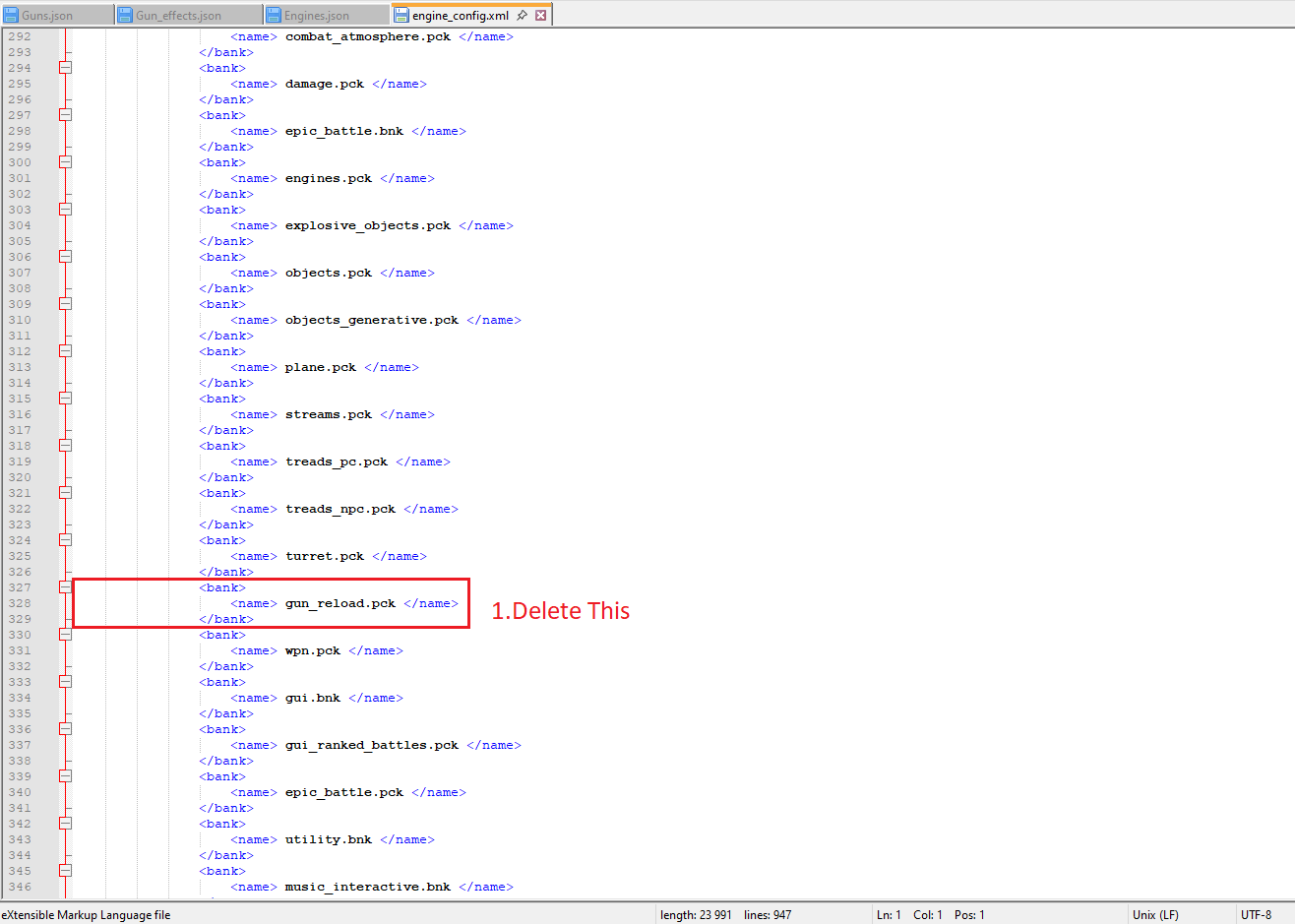
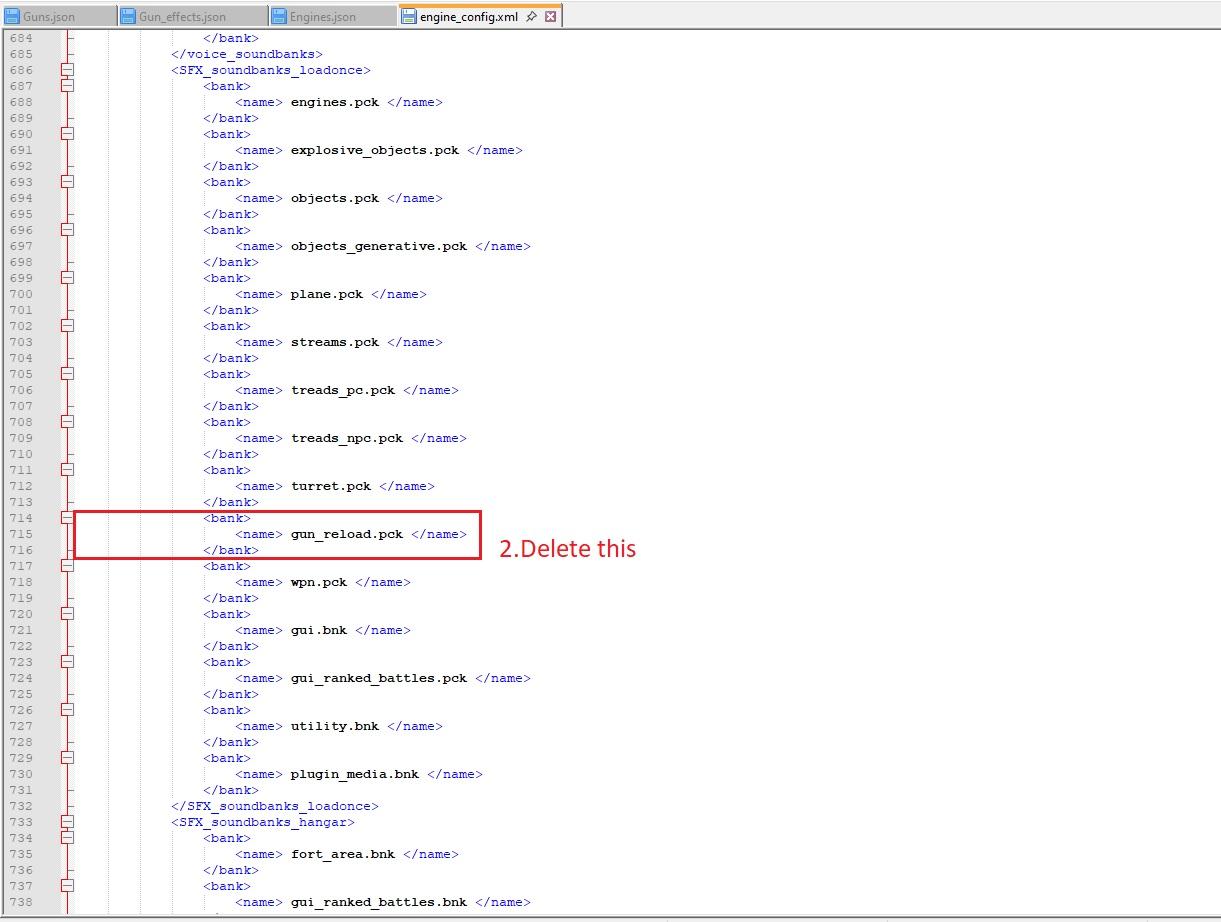
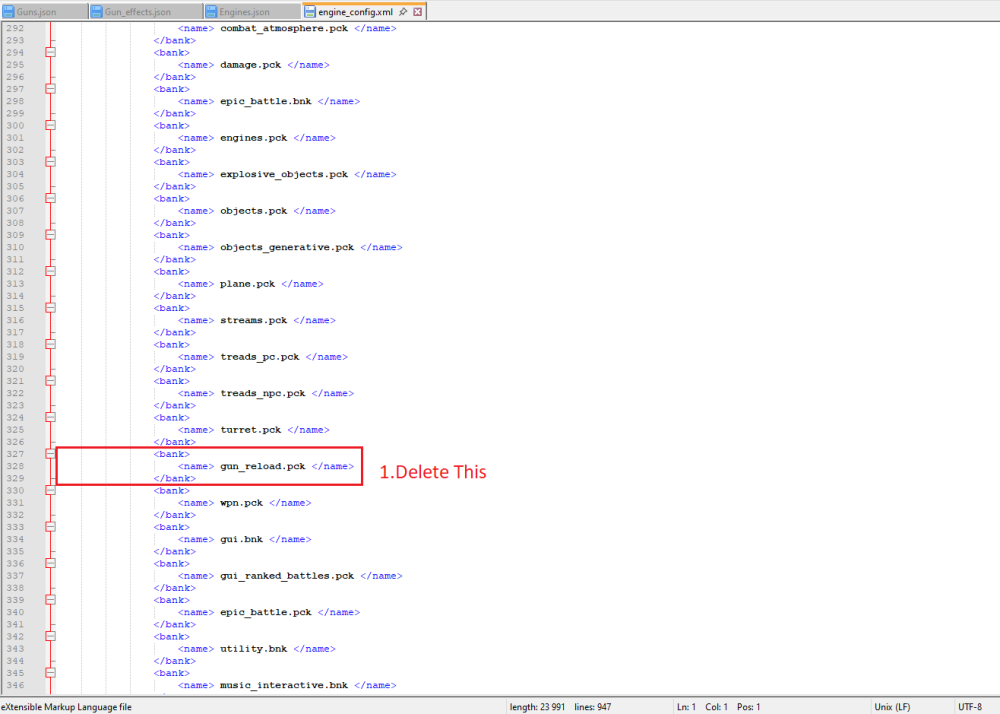
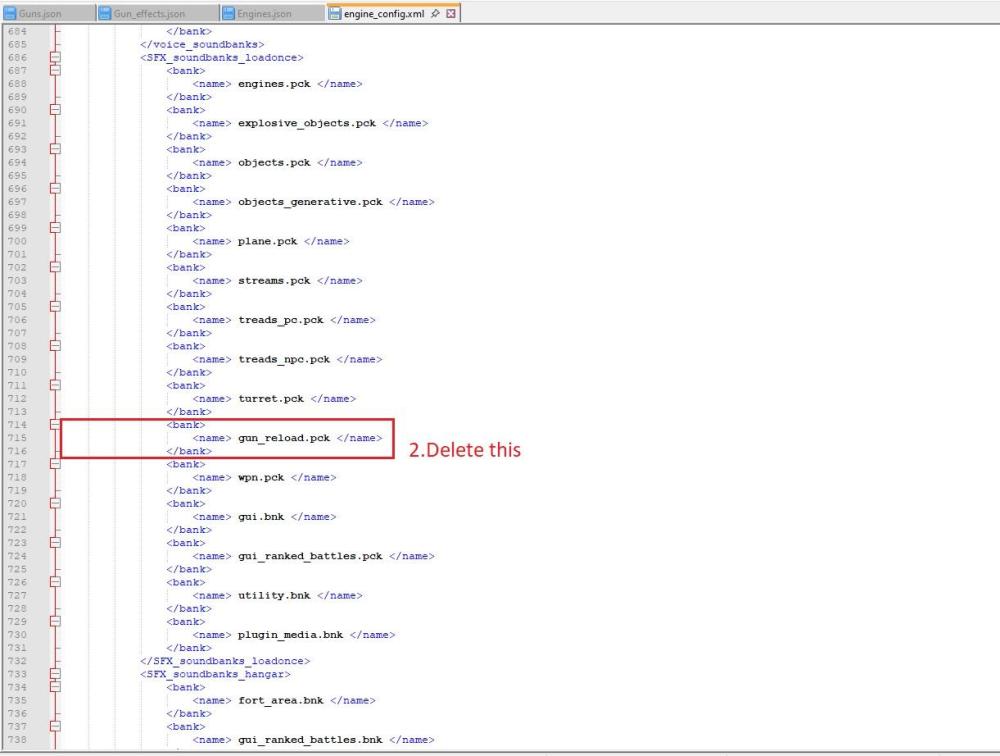
Przejdź do res_mods/1.29.0.0, otwórz engine_config.xml, znajdź i usuń wszystkie miejsca, w których znajduje się gun_reload.pck.
 1 point
 -
v1.29.0.0 #11b (26-06-2025): - hotfix for the anti-mirror for non-XVM contour icons1 point
-
v1.29.0.0 #11 (26-06-2025): - Initial compatibility with today's micropatch - Updated the anti-mirror for non-XVM contour icons - Updated Change client language - Added Pink Trees (by Malicious_Melissa) [mod #1562]1 point
-
You cannot disable the loading window.1 point
-
v2.1.34.0 #00 (25-06-2025): - Initial compatibility with WoWp v2.1.34.01 point
-
Well, actually I don't think we can solve it either. Safe mode also causes frame loss. I have tried many methods, almost all of which I can think of, but there is no way to change this problem. Okay, that's it. Thank you, Aslan. By the way, although I am a player in China and cannot use XVM, I still really like your mod. I have been using your mod since 2020. Thank you1 point
-
v1.29.0.0 #10 (23-06-2025): - Updated Steel Hunter Helper: by CHAMPi1 point
-
Is this it? Cheers. Aslains_WoT_Logs.zip
 1 point
 -
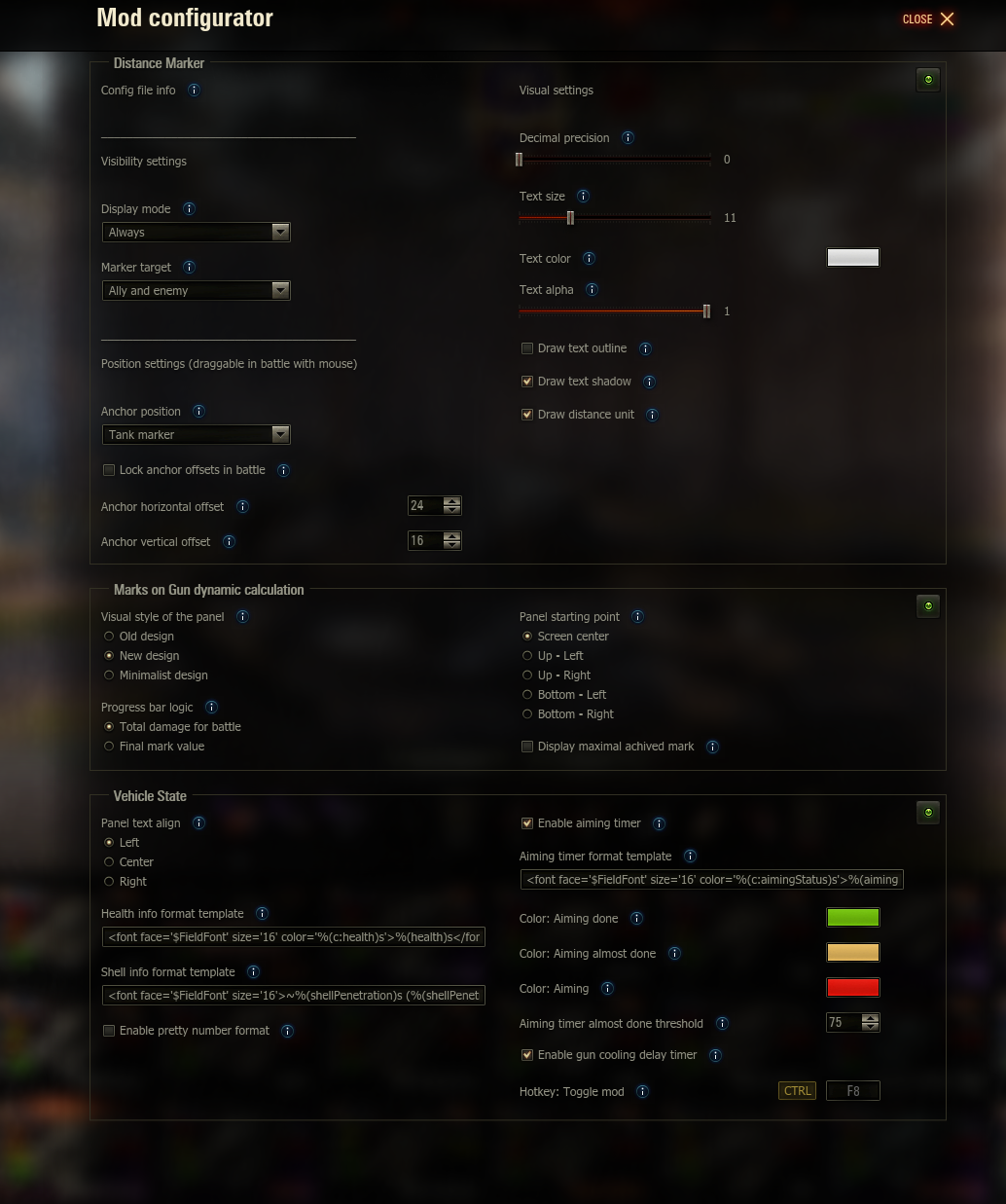
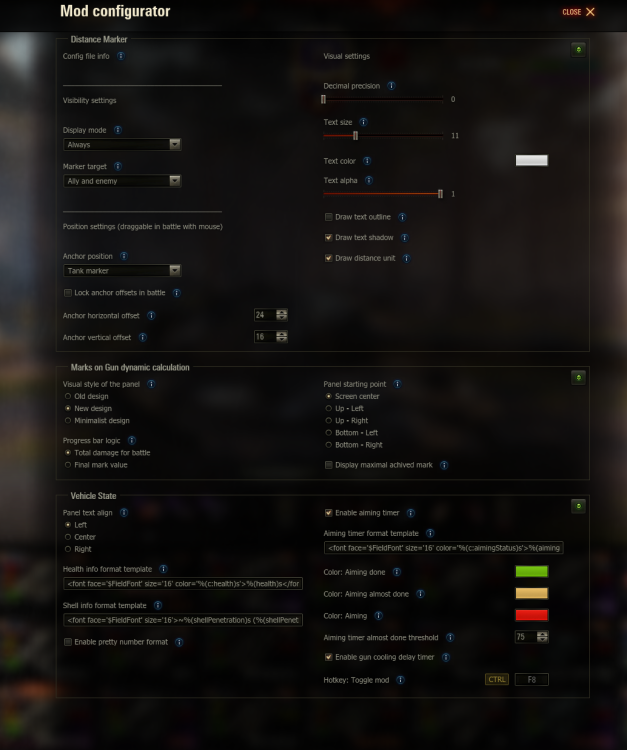
v1.29.0.0 #09 (22-06-2025): - Updated PMOD v1.78.9 - Updated Garage Mastery - Updated Battle WN8/EFF Calculator by ProTanki - Updated Hitzone skins: Esthete (smart) - Updated Dispersion Reticle by Pruszko - Updated Distance Marker (Added a new draw-text-outline parameter to improve distance marker visibility and draw-distance-unit to toggle distance units on/off)1 point
-
Now I understand you — I thought I only needed to check the box where you showed in the screenshot.1 point
-
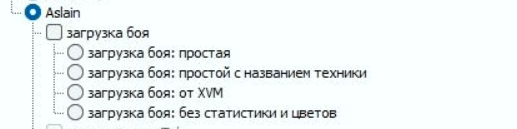
You dont
 1 point
 -
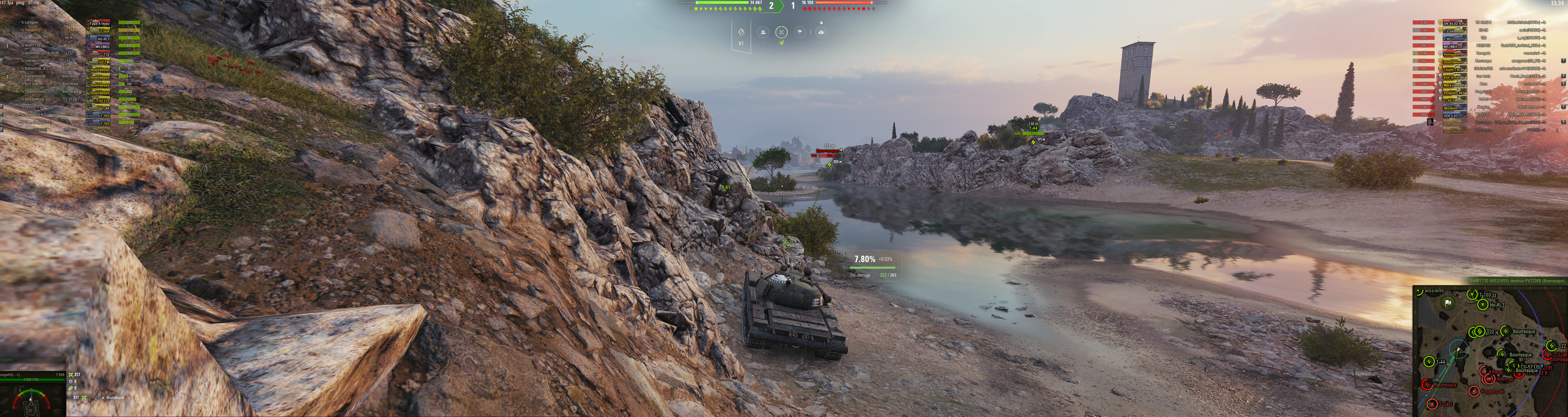
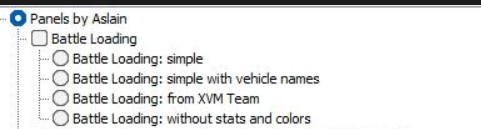
Regarding the battle window under TAB it's broken in XVM and you cannot control it (I informed about it in the initial modpack for 1.28.0 or something), for the battle loading window, you may need to select some options there, you have not, maybe it will fix it for you.
 1 point
 -
Attach logs (see my signature) and proof. Battle replay file where you had experienced it. Additionaly provide the very steps to reproduce it. I often use 4K, actually always, never experienced this myself. You play in windowed or full screen? Do you scale your UI in any way?1 point